
Beschreibung
What this book helps you do
Explore practical AI uses for office work: prepare texts, organise information and plan recurring tasks.
- Understand what AI and ChatGPT can do and why their output needs checking.
- Develop prompts for emails, minutes, reports and presentations.
- Explore uses for spreadsheets, Excel and data analysis.
- Examine examples for sales, customer service and HR administration.
- Think through automation and AI-agent workflows.
- Use exercises, model solutions, checklists and templates to prepare your own work steps.
Who is this book for?
For office professionals, self-employed readers and teams who want an accessible introduction and practical examples for using AI at work.
Topics you will work through
- AI foundations, ChatGPT and professional prompting
- Data protection, copyright, IT security and quality checks
- Emails, office organisation and digital processes
- Excel, data analysis, reports and presentations
- Sales, service, HR and accounting
- Automation, AI agents, projects and templates
Look inside before you buy
20 pages: front matter, the complete table of contents and selected teaching or practice pages from this edition. No purchase or registration required. The extract retains the original page numbering.
Check the edition and review-status information below before buying. The sample shows the book as offered; it is not a guarantee of examination success or completed professional review.
View table of contents
Taken from the offered edition. The chapter numbering is retained. The original formatted contents pages are also included in the free PDF sample.
- Preface
- Part I – Fundamentals and a Safe Start
- Chapter 1: Introduction to Artificial Intelligence
- 1.1 What is artificial intelligence?
- 1.2 The development of artificial intelligence
- 1.3 Important terms: AI, machine learning and deep learning
- 1.4 Generative AI and how it works
- 1.5 Language models and their possible uses
- 1.6 Opportunities and limits of artificial intelligence
- 1.7 AI in everyday private and professional life
- 1.8 The importance of AI for business and office roles
- 1.9 Summary
- Chapter 2: Understanding and using ChatGPT correctly
- 2.1 What is ChatGPT?
- 2.2 How ChatGPT generates responses
- 2.3 User interface and basic functions
- 2.4 Chats, contexts and conversation histories
- 2.5 Recognize good and bad results
- 2.6 Typical errors and misunderstandings
- 2.7 Free and paid AI offerings
- 2.8 Selection of appropriate AI tools
- 2.9 Practical introductory exercises
- Chapter 3: Data protection, copyright and IT security
- 3.1 Data protection in professional AI use
- 3.2 Personal and Confidential Information
- 3.3 What information should not be entered
- 3.4 General Data Protection Regulation and AI Applications
- 3.5 Trade Secrets and Confidentiality
- 3.6 Copyright of AI-generated content
- 3.7 Terms of Use and License Issues
- 3.8 IT security and access rights
- 3.9 Phishing, manipulated content and attempted fraud
- 3.10 Principles for safe AI use
- 3.11 Organizational protective measures
- Part II – Prompting and Tools
- Chapter 4: Professional prompting in practice
- 4.1 What is a prompt?
- 4.2 The components of a good instruction
- 4.3 Goal, context, role and desired format
- 4.4 Formulate precise tasks
- 4.5 Improving Results with Follow-Up Questions
- 4.6 Creating Multistep Work Instructions
- 4.7 Prompts for business tasks
- 4.8 Avoid common prompt errors
- 4.9 Reusable prompt templates
- 4.10 Exercises for professional prompting
- Chapter 5: Comparing AI Tools for Everyday Office Work
- 5.1 General AI assistants
- 5.2 Research, document analysis and knowledge management
- 5.3 Word processing, translation and marketing
- 5.4 Image creation, graphic design and presentations
- 5.5 Video production and AI avatars
- 5.6 AI voices, audio production and transcription
- 5.7 Social media management and customer communication
- 5.8 AI-Assisted Programming and Codex
- 5.9 Process automation with Make, Zapier, n8n and Power Automate
- 5.10 Comparison of selected AI tools
- 5.11 Selection of appropriate AI tools
- 5.12 Conclusion and further information
- Part III – Communication and digital office work
- Chapter 6: Emails and Business Correspondence
- 6.1 Basics of professional business communication
- 6.2 Design emails with AI
- 6.3 Improve wording and correct texts
- 6.4 Adapting Tone to the Audience
- 6.5 Responding to Quotations and Inquiries
- 6.6 Writing Payment Reminders and Formal Payment Demands
- 6.7 Handling Complaints and Product Claims
- 6.8 Convert conversation notes into emails
- 6.9 Multilingual business correspondence
- 6.10 Quality control and typical errors
- 6.11 Practical examples and exercises
- Chapter 7: Office organization and time management
- 7.1 Structure tasks and work processes
- 7.2 Daily, weekly and monthly planning
- 7.3 Set priorities and deadlines
- 7.4 Prepare meetings
- 7.5 Preparing Meeting Minutes and Action Lists
- 7.6 Develop checklists with AI
- 7.7 Formulate work instructions in an understandable manner
- 7.8 Summarize and prepare information
- 7.9 Simplify recurring tasks
- 7.10 Improve personal work organization
- 7.11 Practical exercises for everyday office work
- Chapter 8: Digital processes and modern office software
- 8.1 Digital workplaces and cloud applications
- 8.2 AI in word processing and spreadsheets
- 8.3 Digital document management
- 8.4 Task and project management
- 8.5 Calendar and appointment organization
- 8.6 Digital team collaboration
- 8.7 Meeting notes and transcriptions
- 8.8 Exchange data between applications
- 8.9 Selection of suitable software solutions
- 8.10 Costs, benefits and technical requirements
- 8.11 Introduction of new digital working methods
- Chapter 9: Excel, spreadsheets and data analysis with AI
- 9.1 Basics of spreadsheets
- 9.2 Use AI to explain Excel functions
- 9.3 Create and check formulas
- 9.4 IF Functions and Conditional Calculations
- 9.5 VLOOKUP, XLOOKUP and similar functions
- 9.6 Sorting, filtering and cleaning data
- 9.7 Structuring and formatting tables
- 9.8 Detect errors in tables
- 9.9 Calculate and interpret key figures
- 9.10 Creating Charts and Analyses
- 9.11 Develop reports from tabular data
- 9.12 Limitations of AI-assisted calculations
- 9.13 Practical tasks with sample solutions
- Chapter 10: Quotations, Reports and Presentations
- 10.1 Plan and structure business documents
- 10.2 Preparing the Wording and Format of Quotations
- 10.3 Create reports from bullet points
- 10.4 Writing Executive Summaries
- 10.5 Design presentations
- 10.6 Develop slide content and outlines
- 10.7 Adapt texts for different target groups
- 10.8 Visualize information clearly
- 10.9 Review and revise documents
- 10.10 Practical examples and templates
- Part IV – Sales, Service and Human Resources
- Chapter 11: Sales and Customer Communication
- 11.1 Basics of modern sales
- 11.2 Analyze target groups and customer needs
- 11.3 Prepare customer meetings
- 11.4 Developing Conversation Guides and Needs Analysis Questions
- 11.5 Formulate product and service descriptions
- 11.6 Presenting Quotations with the Customer in Mind
- 11.7 Prepare objection handling
- 11.8 Follow-Up Communication
- 11.9 Sales reports and key figures
- 11.10 Limits of automated customer contact
- 11.11 Practical cases and exercises
- Chapter 12: Customer Service and Complaint Management
- 12.1 Customer service tasks and objectives
- 12.2 Categorize customer requests
- 12.3 Creating Draft Responses with AI
- 12.4 Handle complaints objectively and in a solution-oriented manner
- 12.5 Prepare for difficult conversation situations
- 12.6 Create knowledge bases and FAQs
- 12.7 Document service processes
- 12.8 Response quality and customer satisfaction
- 12.9 Escalations and Human Decisions
- 12.10 Practical examples and sample answers
- Chapter 13: Human Resources Administration and Employee Organization
- 13.1 Possible uses of AI in human resources
- 13.2 Formulate job advertisements
- 13.3 Requirement profiles and task descriptions
- 13.4 Creating Onboarding Plans
- 13.5 Develop training documents and learning materials
- 13.6 Prepare employee information in an understandable manner
- 13.7 Preparing Employee Discussions
- 13.8 Protecting Personnel Data
- 13.9 Limitations of automated personnel decisions
- 13.10 Practical examples and exercises
- Part V – Business Processes and Automation
- Chapter 14: AI in Accounting and Everyday Business
- 14.1 Possible uses in accounting
- 14.2 Enter and structure invoice data
- 14.3 Prepare receipts and documents
- 14.4 Incoming payments and open items
- 14.5 Cost overviews and budget planning
- 14.6 Explaining Business Metrics
- 14.7 Prepare economic evaluations
- 14.8 Plausibility checks and error control
- 14.9 Limitations of AI in accounting and taxes
- 14.10 Responsibility and professional review
- 14.11 Practical Examples from Everyday Business
- Chapter 15: Automating Repetitive Office Tasks
- 15.1 What does process automation mean?
- 15.1a What does process automation mean? – additional explanation
- 15.2 Manual and automated workflows
- 15.3 Identify recurring tasks
- 15.4 Document and analyze processes
- 15.5 Automated Email and Notification Flows
- 15.6 Forms and data collection
- 15.7 Task distribution and approval processes
- 15.8 No-Code and Low-Code Solutions
- 15.9 Interfaces and Data Transfers
- 15.10 Sources of error and control mechanisms
- 15.11 Assessing the Economics of Automation
- 15.12 Practical projects for small companies
- Chapter 16: AI Agents and Intelligent Workflows
- 16.1 Learning Objectives and Context
- 16.2 From Chat to Systems That Take Action
- 16.3 Traditional Automation and Agent-Based Decisions
- 16.4 Building blocks of a controlled agent
- 16.5 Zapier and Zapier Agents
- 16.6 Make and visual scenarios
- 16.7 n8n and technical design options
- 16.8 Further solutions and selection criteria
- 16.9 ChatGPT and Codex as active support
- 16.10 Claude and Claude Code
- 16.11 An agent assignment with clear boundaries
- 16.12 Approval Before an Action Takes Effect
- 16.13 Manipulated content and access limits
- 16.14 Retries and Uncertain Technical Outcomes
- 16.15 Test and demonstrate results
- 16.16 Economic efficiency and ongoing operations
- 16.17 An End-to-End Practical Project
- 16.18 Exercises with sample solutions
- 16.19 Knowledge Check and Application
- 16.20 Sources for the Agents chapter
- Part VI – Quality, Practice and Templates
- Chapter 17: Limits, Risks and Quality Control
- 17.1 Why AI can provide wrong answers
- 17.2 Hallucinations and fabricated information
- 17.3 Check sources and facts
- 17.4 Calculation errors and incorrect conclusions
- 17.5 Bias and discriminatory results
- 17.6 Timeliness and reliability of information
- 17.7 Human Oversight and Approval Processes
- 17.8 Quality criteria for AI results
- 17.9 Responsibilities in the company
- 17.10 Checklist for safe practical use
- Chapter 18: Practical projects and case studies
- 18.1 Make an office day more efficient with AI
- 18.2 Develop professional email communication
- 18.3 Improve a customer service process
- 18.4 Prepare a sales task with AI
- 18.5 Creating and Checking an Excel Analysis
- 18.6 Prepare meeting minutes automatically
- 18.7 Plan a digital workflow
- 18.8 Automate a recurring process
- 18.8a Automate a recurring process – another practical example
- 18.9 Build an internal knowledge repository
- 18.10 Implement a complete office project
- 18.11 Document and evaluate results
- Chapter 19: Exercises with sample solutions
- 19.1 Fundamentals of artificial intelligence
- 19.2 ChatGPT and prompting
- 19.3 Business correspondence
- 19.4 Office organization and time management
- 19.5 Excel and data analysis
- 19.6 Sales and customer service
- 19.7 Personnel organization
- 19.8 Process automation
- 19.9 Data protection and quality assurance
- 19.10 Complex Business Case Exercises
- 19.11 Sample solutions and assessment notes
- Chapter 20: Templates, Checklists and Prompt Collection
- 20.1 General prompt templates
- 20.2 Templates for emails and business correspondence
- 20.3 Templates for minutes and meetings
- 20.3a Templates for minutes and meetings – supplementary templates
- 20.4 Checklists for office organization
- 20.5 Prompts for Excel and data analysis
- 20.6 Sales and Customer Service Templates
- 20.7 Templates for reports and presentations
- 20.8 Process automation checklists
- 20.9 Data protection and quality checklists
- 20.10 Templates for introducing AI in the company
- 20.11 Personal action plan for AI use
- Appendix
- A. Glossary of Key AI and Technical Terms
- B. List of abbreviations
- C. References and Further Reading
- D. Further sources of information
- E. Legal notice
- F. Index
- Further Books from Deine-Akademie24
Further edition and purchase information
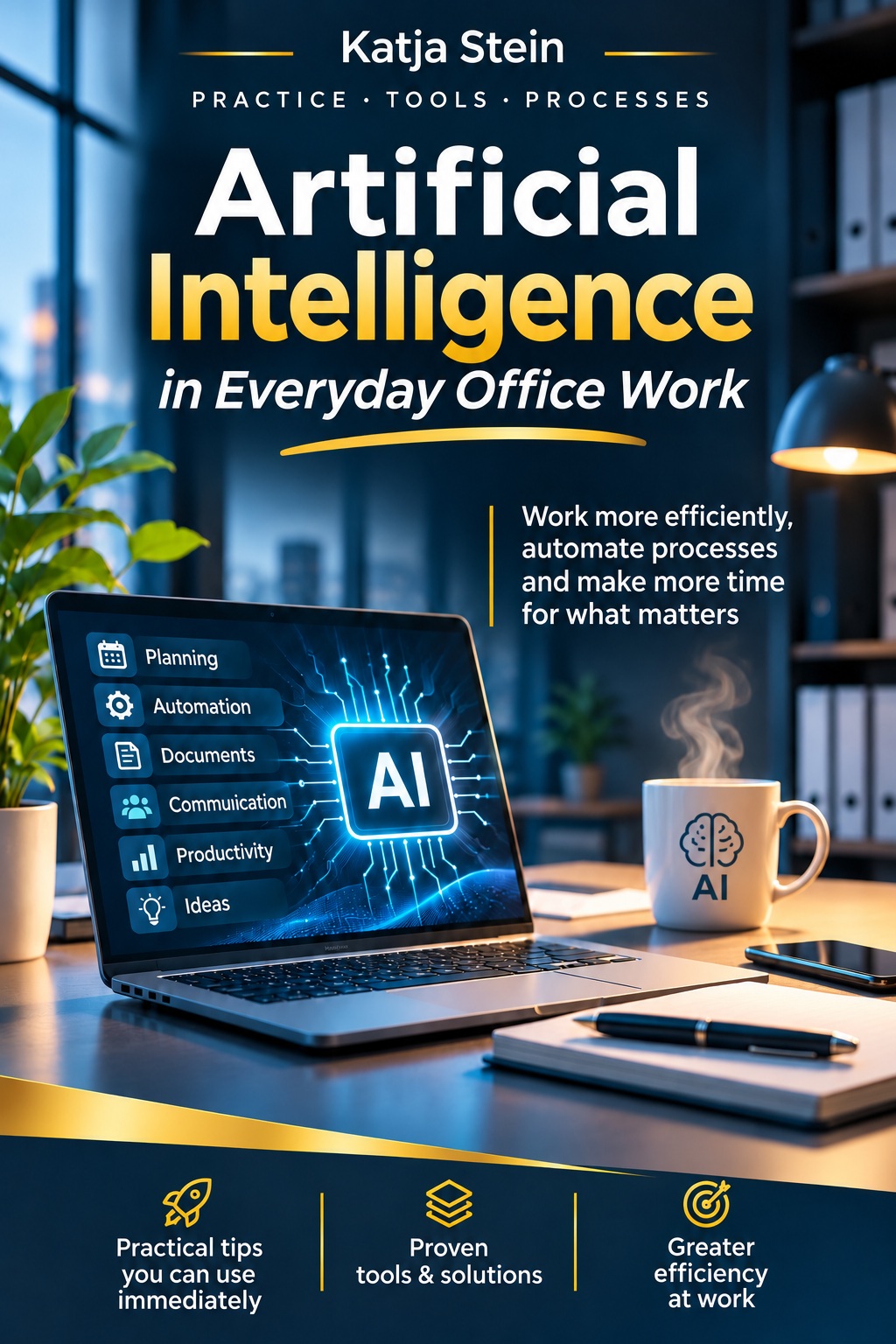
A practical guide by Katja Stein to artificial intelligence in everyday office work. Covers ChatGPT, AI agents and automation, with practical examples, exercises and templates for business and office professionals.
PDF with cover and back cover. 725 pages. Katja Stein · First edition.